
Cloud PhotoFrame EX.Net6.30 - Get APK
You'll be able to download in few seconds.
Publisher Description
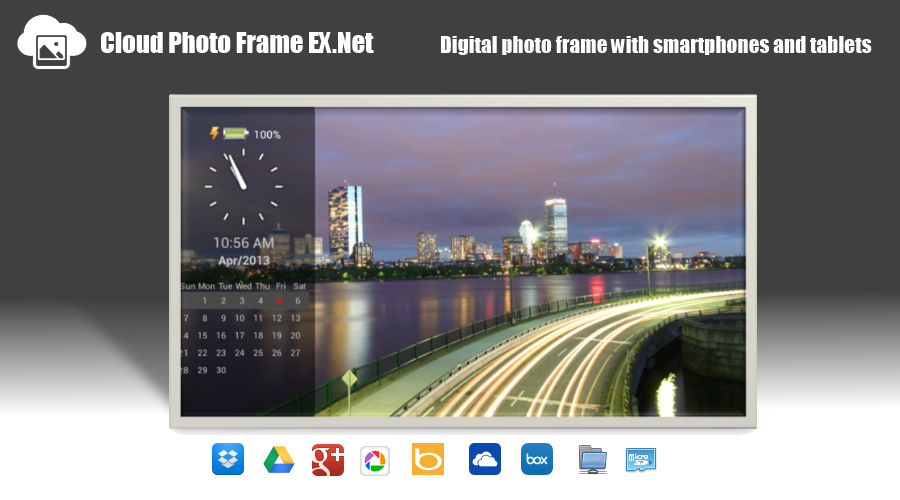
Let reproduced in photo frame memories !
Tablet that was sleeping in the digital photo frame !
[ Premium features of the paid version ]
<What's New>
I was supported ChromeCast on a trial basis.
I added a group of settings panel.
· Additional information in the panel placement options
· Adding a gradation display options
I changed the font for the digital clock and calendar.
I was supported streaming video of network file.
I can now specify video playback other apps (such as MX Video Player) to play back movies.
Include to a playlist mp4/3gp/avi/m4v/mov/wmv/rmvb/mkv/ts/mpg/flv, but it depends on the video application to be used whether or not renewable.
I have to be able to set an upper limit on the album and image (folder) number of acquired.
(If you are time-consuming and full acquisition of Picasa album, please set limits.)
Others, I did minor bugs fixed.
Video files (internal storage · SD card) support. (Turn ON the "video playback" at home group if you want to play video)
Screen saver (DayDream) support. From Settings → Display AndroidOS, I can be set.
Support for Google Drive.
It is equipped with a quick -start function from the widget .
The folder can be specified music file .
Shuffle BGM ( random ) playback .
Automatic start function at startup .
Automatic termination of the automatic start / release time at the time of charging
By illumination sensor , ability to migrate to ( pause and brightness reduction of the backlight ) power saving mode
Exit function and automatic start of the slide show by the timer
( Listing is in Pause ) jump function from the image thumbnail list
Read function and multiple registration of the establishment
( Can be displayed on a high speed from the following image which has been displayed once ) image cache function
( Change tap the target ) display size change function of clock and calendar
From EXIF information , and Correcting the orientation of the photo .
Map display function of geo-tagging (GoogleMap)
Can be selected " all albums " and " latest album " in album selection of (Picasa) Google+
Can be displayed in high resolution (Picasa) Google+
(I will update the image list every hour also slide show ) auto refresh function
Specifying the image display order ( by name , date )
It can be up to 60 minutes image switching interval
Ability to specify the animation speed
Compatible with BING image monk Search
The ad does not appear.
" Cloud "
Google+ Picasa Dropbox GoogleDrive Bing OneDrive(SkyDrive)
" Storage "
Internal storage external SD card
"LAN"
CIFS / SMB / NAS / Windows share
[Function]
Slide show (jpg, png) of the image file
Playback of BGM (mp3) files
Reference image and music ( internal storage and external SD card · CIFS / SMB / NAS / Windows · Dropbox · Picasa / Google + · GoogleDrive · BING image monk Search )
Fade-in/fade-out
Pan and zoom
Scroll
Start start charging ( paid version only )
[ Viewable information]
Level indicator of the battery
Display of analog clock
Display of digital clock
Display the calendar
Specify Weather information (Worldwide compatible) You are here / city name
In Google+ (Picasa), album of their own , the popular image , image search is possible.
About Cloud PhotoFrame EX.Net
The company that develops Cloud PhotoFrame EX.Net is aokitaka. The latest version released by its developer is 6.30.
To install Cloud PhotoFrame EX.Net on your Android device, just click the green Continue To App button above to start the installation process. The app is listed on our website since 2014-08-08 and was downloaded 0 times. We have already checked if the download link is safe, however for your own protection we recommend that you scan the downloaded app with your antivirus. Your antivirus may detect the Cloud PhotoFrame EX.Net as malware as malware if the download link to aoki.taka.slideshowEX is broken.
How to install Cloud PhotoFrame EX.Net on your Android device:
- Click on the Continue To App button on our website. This will redirect you to Google Play.
- Once the Cloud PhotoFrame EX.Net is shown in the Google Play listing of your Android device, you can start its download and installation. Tap on the Install button located below the search bar and to the right of the app icon.
- A pop-up window with the permissions required by Cloud PhotoFrame EX.Net will be shown. Click on Accept to continue the process.
- Cloud PhotoFrame EX.Net will be downloaded onto your device, displaying a progress. Once the download completes, the installation will start and you'll get a notification after the installation is finished.
Program Details
System requirements
Download information
Pricing
Version History
version 6.30
posted on 2014-08-08
in the previous version of android2.3.7, This has been fixed you can not start.,At GoogleDrive, I added a selection function of the shared folder link.,Link icon will be the shared folder.
version 2.00
posted on 2013-07-03
Several fixes and updates
Disclaimer
External Download
We do not host Cloud PhotoFrame EX.Net on our servers. We did not scan it for viruses, adware, spyware or other type of malware. This app is hosted by Galad and passed their terms and conditions to be listed there. We recommend caution when installing it.
The APK Download link for Cloud PhotoFrame EX.Net is provided to you by apps112.com without any warranties, representations or guarantees of any kind, so access it at your own risk.
If you have questions regarding this particular app contact the publisher directly. For questions about the functionalities of apps112.com contact us.
